top of page

Bunatelier Dream
Detail
Date of completion: July 2024
Introduction
Bunatelier Dream is a stylised Blender environment inspired mainly by children’s games and toys. The paths and grid-like layout reference the structure of board games and maze toys, reimagined as a tiny atelier built from blocks, miniatures, and playful props. The scene keeps a sense of organised “play-route” design while presenting a soft, dream-like toy world.

Research
Background
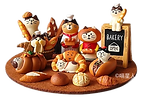
For Bunatelier Dream I started from a maze map layout and simplified the paths and grids into a tiny studio that can be filled with toys. The shapes and mood are inspired by Jellycat plush characters and zakka ornaments, which led to rounded silhouettes, soft colours and a slightly handmade texture. The result is a small studio space that keeps a maze inspired structure but feels like a cosy and playful toy corner.

I gathered visual references from children’s toys, maze board games, and Jellycat/zakka ornaments, analysing their forms and colours to derive the scene’s soft palette, rounded shapes, and maze-like layout.
Software:
Photoshop
Blender
Role:
Designer
Modeler

Software&Role
Reference





Map&Building Design & Sketch


Basic shapes of buildings from map


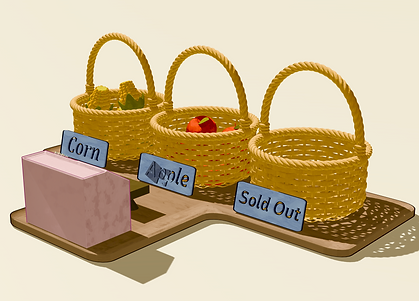
When sketching the design, I built the whole map by arranging seven basic shapes. Later, I used the proportions of these shapes as a reference to create the 3D structures and furniture models
Modeling

Model Overview
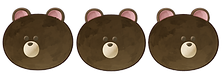
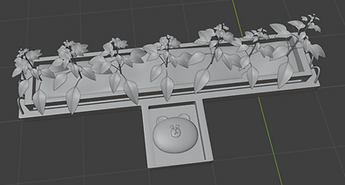
In the modelling stage, I build the scene in Blender based on the layout, trying to keep the same very rounded shapes from my design sketches and focusing mainly on the small animal models. The buildings are kept as simple square blocks, so the viewer’s attention naturally goes to the cute animal characters.






Custom Stylised Shader

Foundation
In the base section, I use Diffuse + Shader to RGB to convert lighting into pure colour information, then control value ranges and hues with RGB Curves and Map Range so the characters keep clean, readable colour blocks.

Combine Wave and Voronoi textures with Camera Data to generate a screen-space dot pattern. I then threshold and mix it on top of the lighting, giving the shading a subtle printed-poster grain.

Halftone Effect
combines Wave and Voronoi textures with Camera Data to generate a screen-space dot pattern. I then threshold and mix it on top of the lighting, giving the shading a subtle printed-poster grain.


Printing Grain
Use a 4D Voronoi with Mapping and randomised parameters to create subtle irregular speckles. Mixed with the base colour, it mimics ink spread and print noise so the surface feels less purely digital.
Thick Paint
Combine Geometry position with 3D Noise and Voronoi to create uneven coordinate offsets. These drive subtle colour and normal variations, imitating paint buildup and brush strokes so the surface feels slightly “painted on.”
The Painterly layer stacks several brush textures with Noise and Voronoi maps, using multiple Multiply and Mix nodes to control where strokes appear, how strong the contrast is, and how soft the edges are before feeding everything into a Principled BSDF. This keeps the lighting and volume while making the characters feel like tiny painted models.
Painterly Layer
Edge Control
I built a layered custom shader for Bunatelier Dream to combine print-like patterns, thick-paint texture and soft, hand-painted colours.
bottom of page