top of page

Vindreal
Introdution
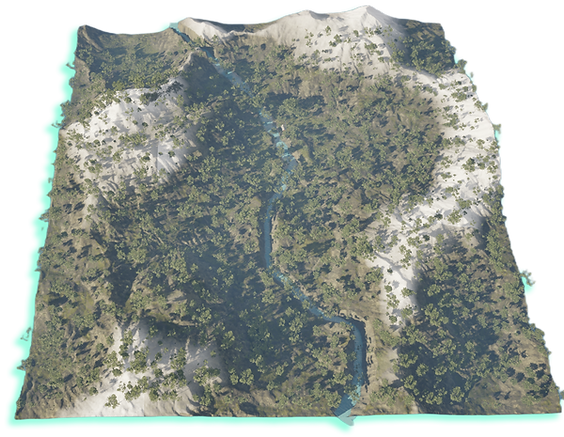
Vindrael is a mysterious valley, hidden in the corners of the world, quietly waiting to be discovered. Created with Unreal Engine 5 and Houdini, the scene depicts a wind-sculpted landscape: cold winds carve snow ridges, while warm moist air nurtures forests and rivers. The landscape weaves between snow and life, showcasing the interplay of nature and magic.
Role & Software
Technical Artist: Evironment, Tool
Software:
Houdini
Unreal Engine
Photoshop
Date of completion: Oct 2025
Details
Background
This project comes from my love for weird valleys: one side is a freezing snowy ridge, the other is fog, forest and river, and I wanted to turn that contrast into a space you can freely explore. Hand-sculpting the terrain was torture, so I switched to Houdini to shape the mountains and rivers with parameters, then used Unreal’s procedural foliage to let the trees and grass grow by themselves — I just tweak values and the whole world updates.

On the wind-carved ridge, a snowbound road climbs toward the pass as auroras drift across the night sky. Locals say the north wind calls elven patrols to these woods; hidden among bare branches and snow-cast shadows, they guard the lone path into Vindrael, judging whether each traveller is merely lost—or a threat.
Where the forest meets the mountains, a lone cabin glows with a steady fire. Known as the last mortal lantern, it marks the threshold beyond which lie elven realms and ancient storms. Its campfire and dim windows offer one final moment of warmth before travellers step into the inner circle of Vindrael.

Deeper in the valley, the forest reveals a hidden riverside garden lit by soft shafts of light. Known as a sacred elven site, it protects the life of the Vindrael mountains and gently guides lost travellers back to their path.


In Vindrael’s southern valley, a leaf-covered forest path winds through gentle hills as tall conifers sway and sunlight sweeps across the slopes. This quiet stretch is seen as a shared threshold between mortals and elves—a place of safety before winter and storms close in.
At dusk, Vindrael’s central peak glows with an orange-gold halo as the setting sun ignites its remaining snow.
Elven lore says that when the summit is fully wrapped in this light, wind spirits appear between ridge and cloud, guiding the lost and reminding travellers to respect the mountain’s power.


Houdini Terrain Generation


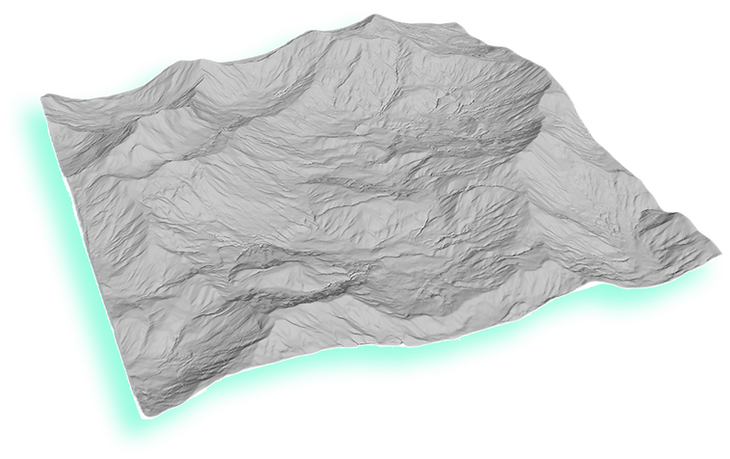
Houdini River Auto Generation
Terrain Outcome


To create the river, I drew a curve over the heightfield, then resampled and smoothed it for clean spacing and natural turns. I fed the curve and terrain into a custom Python SOP that samples height/gradient, snaps points to the surface, and iteratively shifts them downhill inside a Block Begin/End loop. A final pass of the tool refined the result, yielding a clean river spline ready for carving and width control.


I built the terrain in Houdini using three heightfield layers—main ridges/valleys, mid-scale stripes, and a smooth base—then blended them for the first pass. A local mask allowed me to add noise to an overly flat central area. Later, I used Mask By Feature to isolate remaining flat regions and introduced additional variation, removing unnatural plateaus and creating smoother, more believable mountain transitions.
From the refined river curve, I generated width data and swept it into a ribbon, then transferred these attributes to the heightfield to carve the riverbed and shape the banks. Resample and Smooth nodes cleaned transitions, producing a natural, continuous river path.

Slope -1

Slope -2

Slope -3

Houdini River Auto Generation
After finalizing the river spline, I used a Sweep node—driven by the width attribute—to expand the curve into a polygon ribbon, forming the river plane. I then calculated a distance-from-border value and blurred it to create a soft mask that fades from the river center toward the banks, useful for controlling bed depth and shoreline blending.
Curve Fit Terrain


Finally, I softened the normal and recalculated the slope, ensuring the river strip reads clean, smooth, and continuous.
Houdini Final Outcome


Depth Fade
Pixel Depth Dither
Snow
CombieNormal Sample
Slope Mask

Pivot Mask
Landscape UV
CombieNormal


Roughness
SubSurface
Water Mask
Snow Mask
Opacity Mask

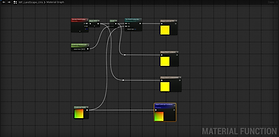
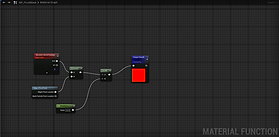
To build the master automatic landscape material, I first created seventeen small material functions in UE, breaking common operations into reusable modules: opacity and distance fade, pixel dithering, slope and height masks, water and snow masks, normal blending, roughness control, subsurface colour, world-aligned UVs, and multi-layer blending, etc.


Unreal Engine Auto Material
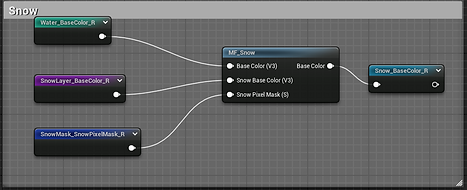
In the master material, I simply plug these functions into the Base Color, Normal, Roughness, Opacity and other inputs as needed, which allows me to assemble rock, grass, dirt, snow and water surfaces quickly while keeping the overall shading logic consistent and easy to tweak.

Generates world-space and landscape UVs at different scales for snow edges, water edges, variation masks and standard layers.

Rock Layer
Samples a tiling noise texture to build water-edge and snow-edge masks, with adjustable scale and intensity.


Stone Layer

Grass Layer

Dirt Layer
Unreal Engine Auto Material - (Final Landscape Material)
Each terrain layer—rock, small stones, grass, and dirt—feeds its base color, normal, UV settings, and color adjustments into a shared layer function. The layers vary mainly in scale and intensity, with grass and dirt adding tiling and depth-fade controls for smoother blending in exposed or low-slope areas.
Water Layer

Snow Layer
Unreal Engine PCG Forest


Tyndall Effect

The god-ray material uses UE’s volumetric cone texture with adjustable UVs and panned noise for subtle motion, with color, opacity, and depth-fade shaping its tint, intensity, and soft edges.

Dirt Layer
Stone Layer
Water Layer
Grass Layer
Snow Layer
Auto Material Effect
Using UE’s PCG, I sampled landscape data, filtered point density, and controlled spacing, then added random transforms and weighted mesh spawning to create a dense, varied forest.


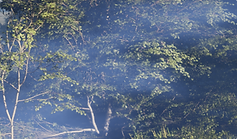
The fog material combines UE’s volumetric fog texture with panned noise and depth-fade controls, with color and intensity parameters shaping a soft, adjustable fog effect.
Unreal Engine BluePrint
Fog Effect
Contact
I'm always looking for new and exciting opportunities. Let's connect.
+86 18978911207
bottom of page